
Walmart Profit Calculator
This guide explains how to calculate your Walmart profit accurately using the Quixess Walmart Profit Calculator. It helps Walmart Marketplace sellers understand true margins by accounting for referral fees, fulfillment method, shipping costs, advertising, and other expenses that are commonly overlooked.
How to Calculate Walmart Profit Using the Quixess Walmart Profit Calculator
Use this tool before pricing products, increasing inventory, or scaling ad spend.
⏱️ Duration: 8:45 • 📺 Watch on YouTube
Open the Walmart Profit Calculator
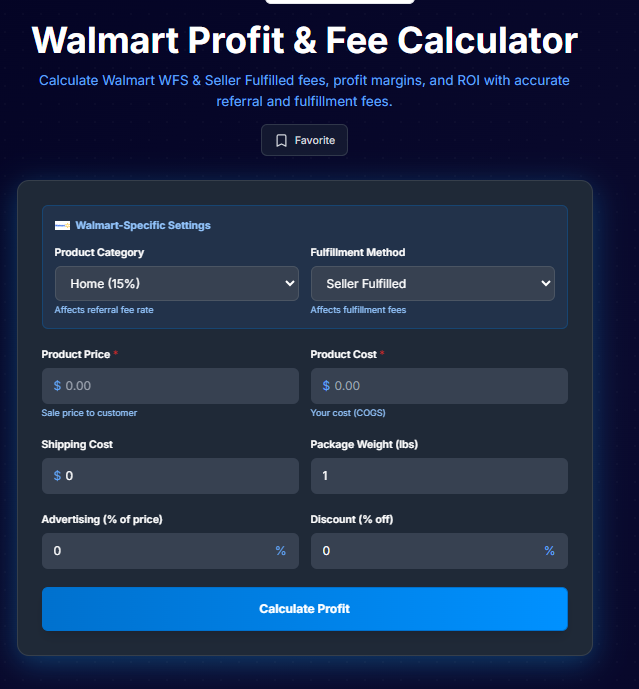
Go to: https://tools.quixess.com/tools/walmart-profit-calculator
Once the page loads, you’ll see the Walmart Profit Calculator interface.
Pro Tip: Hover over each platform to see specific requirements and limitations before connecting.
Select Your Product Category
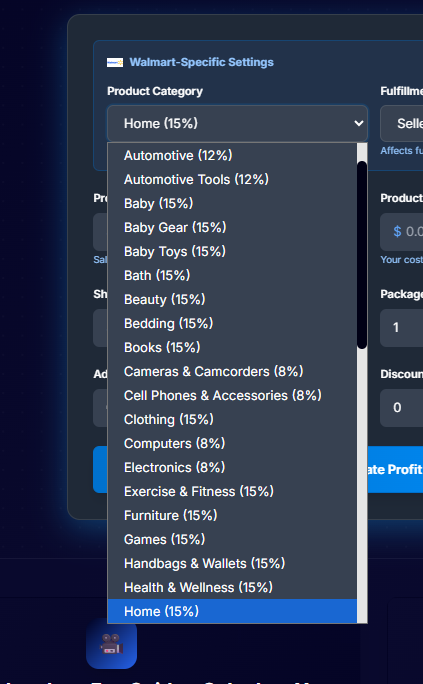
Choose the category that best matches your product.
Walmart referral fees vary by category, so selecting the correct category ensures the calculation reflects the right fee percentage.
Security Note: We use OAuth 2.0 for secure authentication. Your Shopify credentials are never stored on our servers.
Choose Your Fulfillment Method
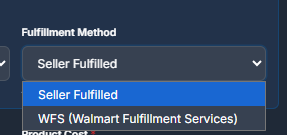
Select how the order is fulfilled. Options may include:
Seller-fulfilled shipping
Third-party logistics (3PL)
Walmart Fulfillment Services (WFS)
Each fulfillment option affects your costs differently and impacts final profit.
Pro Tip: Hover over each platform to see specific requirements and limitations before connecting.
Enter Your Selling Price and Costs
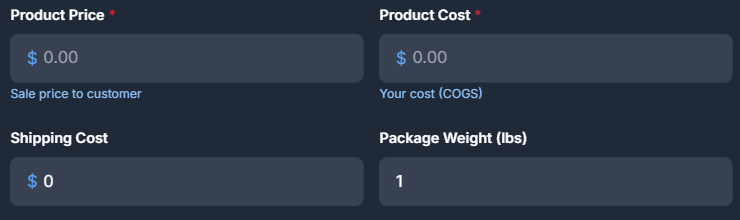
Enter the core values required for the calculation:
Selling Price – what the customer pays on Walmart , Product Cost – what you paid your supplier ,Shipping Cost – your outbound shipping expense
These values form the base of your Walmart profit calculation.
Initial sync may take a few minutes for larger stores. You'll receive a notification when complete.
Last updated: November 2025
Add Advertising or Promotion Costs (Optional)

If you are running Walmart ads, promotions, or discounts, enter those costs as a percentage or value where applicable.
If you are not running ads or promotions, leave these fields empty or set them to zero.
Even small advertising percentages can significantly reduce Walmart profit.
Pro tip or helpful note goes here.
Calculate Walmart Profit
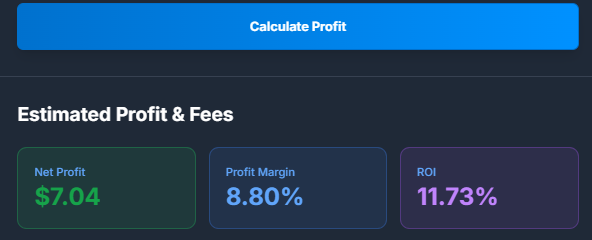
Click the Calculate Profit button.
The calculator will instantly display:
Net profit or loss , Profit margin , A clear cost breakdown
Pro tip or helpful note goes here.
Review the Cost Breakdown
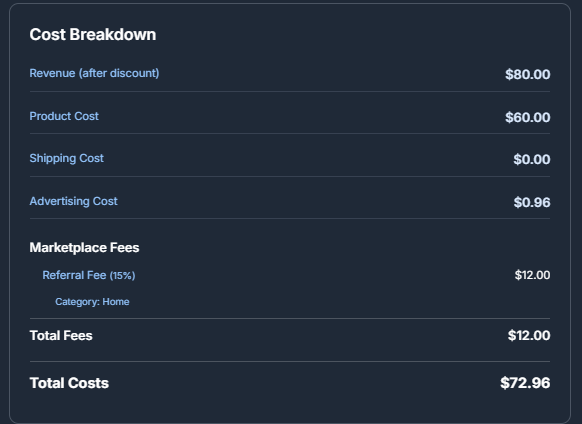
Scroll down to review how each cost contributes to your final Walmart profit.
This breakdown may include:
Walmart referral fees , Fulfillment or shipping costs , Advertising expenses ,Other applied costs
Pro tip or helpful note goes here.
Email the Profit Report (Optional)

You can choose to email the profit report to yourself for later reference.
This is useful when comparing multiple products or reviewing calculations with a team member.
Pro tip or helpful note goes here.
When to Use the Walmart Profit Calculator
Use this calculator:
- Before listing a new product on Walmart
- Before increasing ad spend
- Before ordering larger inventory quantities
- When supplier costs change
- When switching fulfillment methods
Accurate Walmart profit calculation is essential before scaling.
Summary
Revenue does not equal profit.
The Quixess Walmart Profit Calculator helps sellers understand real Walmart profit by accounting for fees and costs that are easy to overlook. Use it consistently to make pricing, sourcing, and scaling decisions with confidence.